
AI agents that do the work, not just talk about it
Zooz-tech builds enterprise AI agents and generative AI solutions on Azure AI Foundry and Microsoft Copilot Studio. The agents connect to SAP, Priority ERP, Dynamics 365 and Salesforce, read documents, respond in text, by voice and on WhatsApp, and operate within your organization's permissions.
Seven capabilities at the forefront of AI-driven service
Operational agents
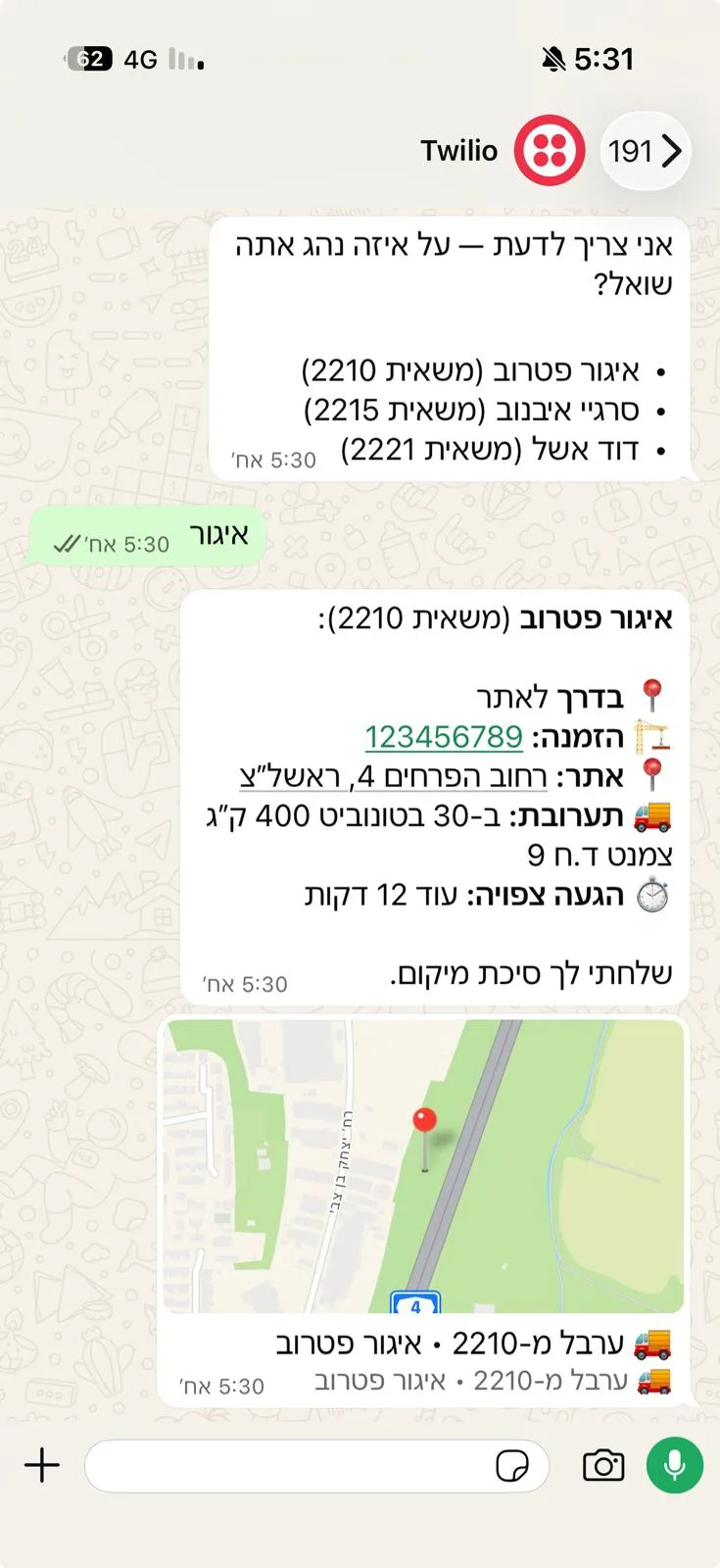
An agent that identifies intent, accesses the system, makes a decision and moves the process forward, on WhatsApp, in Teams or on your website.
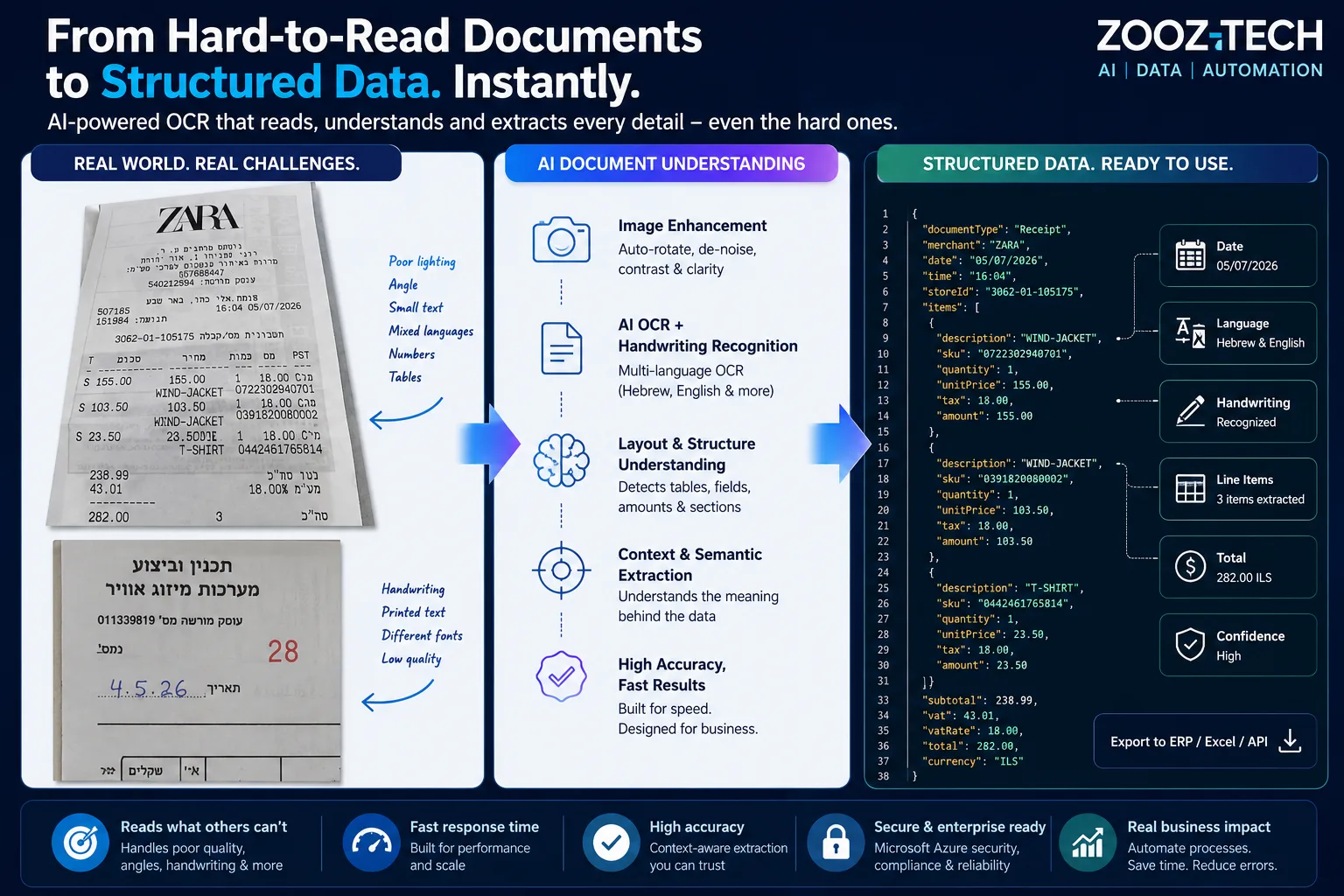
Document AI
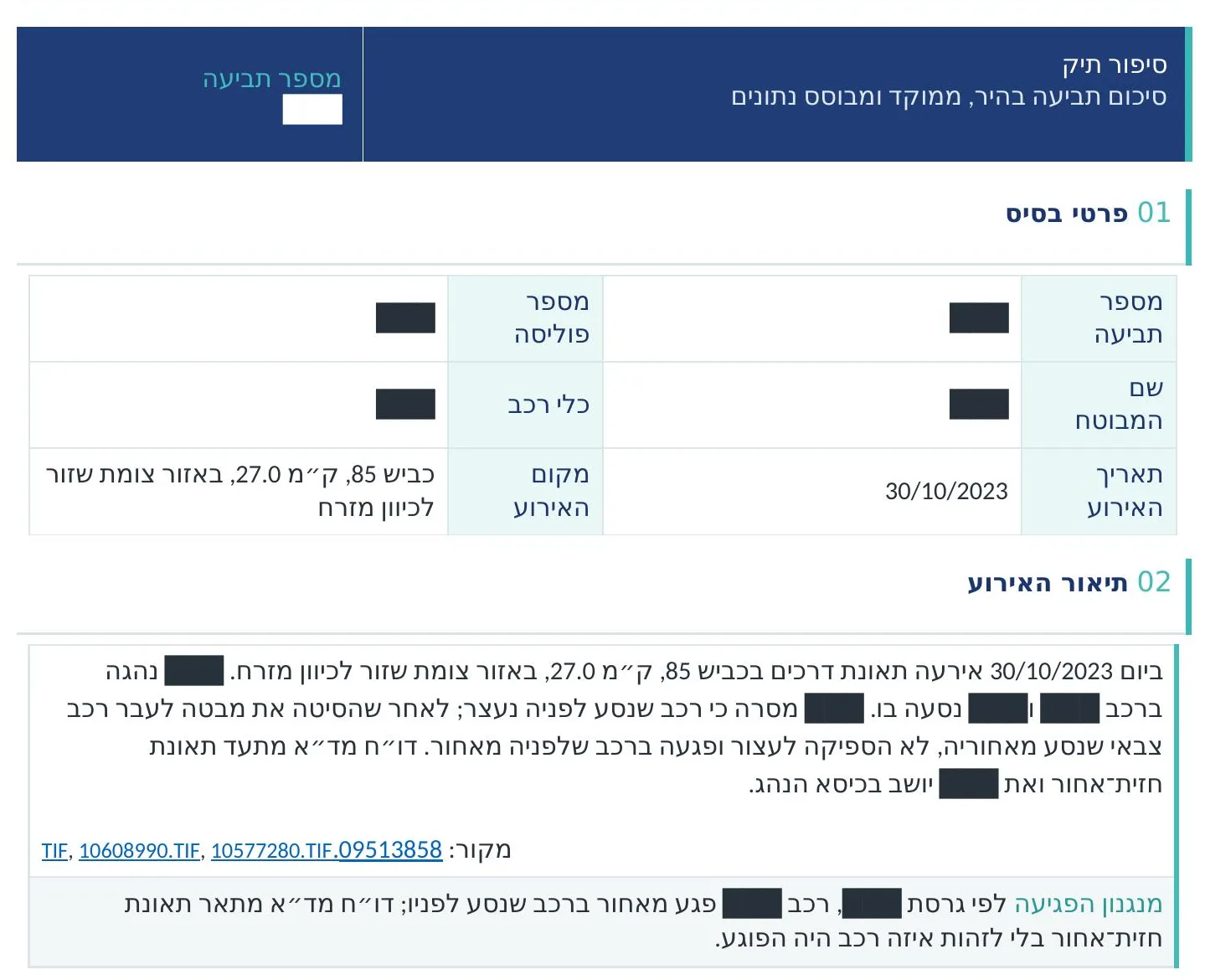
Document understanding that goes beyond OCR: handwriting, skewed photos, tables and fields, with structured output to your ERP.
Read the Tadiran case →AI search and voice
Ask in natural language, get an answer with sources and Generative UI, and hold a full voice conversation in Hebrew.
MCP for core systems
A controlled layer that exposes entities and actions in SAP, Priority and Dynamics 365 F&O to the agent, with approval before every write.
Explore integrations →RAG and vector stores
Indexing of documents, images, websites and systems into Azure AI Search, so every agent answers accurately and cites its source.
Explore RAG development →Copilot Studio
Agents that are quick to build inside Microsoft 365 and Teams, and on your website too, backed by Power Automate and MCP layers. Copilot Studio development
Azure AI Foundry
Agents under full control: custom authentication, an interface in your own design, voice and WhatsApp, on top of Azure AI Search.
Bots that talk, not just type
Every bot we build can also speak: on your website, over the phone and on WhatsApp. Voice runs on the same secure knowledge, the same authentication and the same permissions as chat, and the screen keeps showing results while the bot is talking.
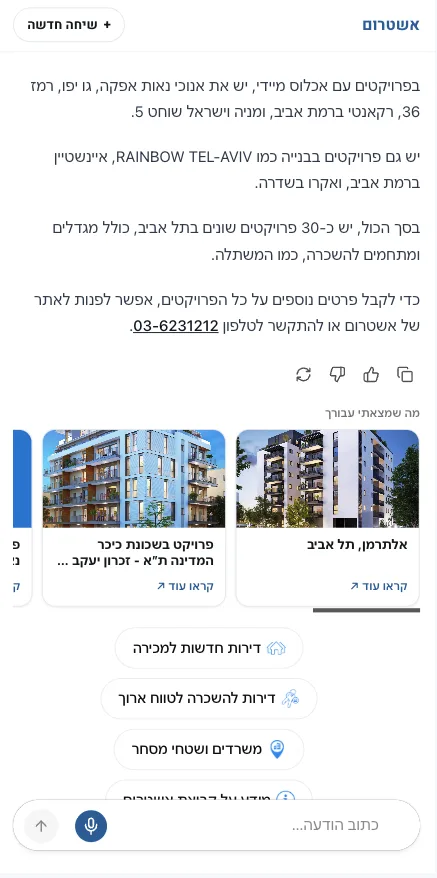
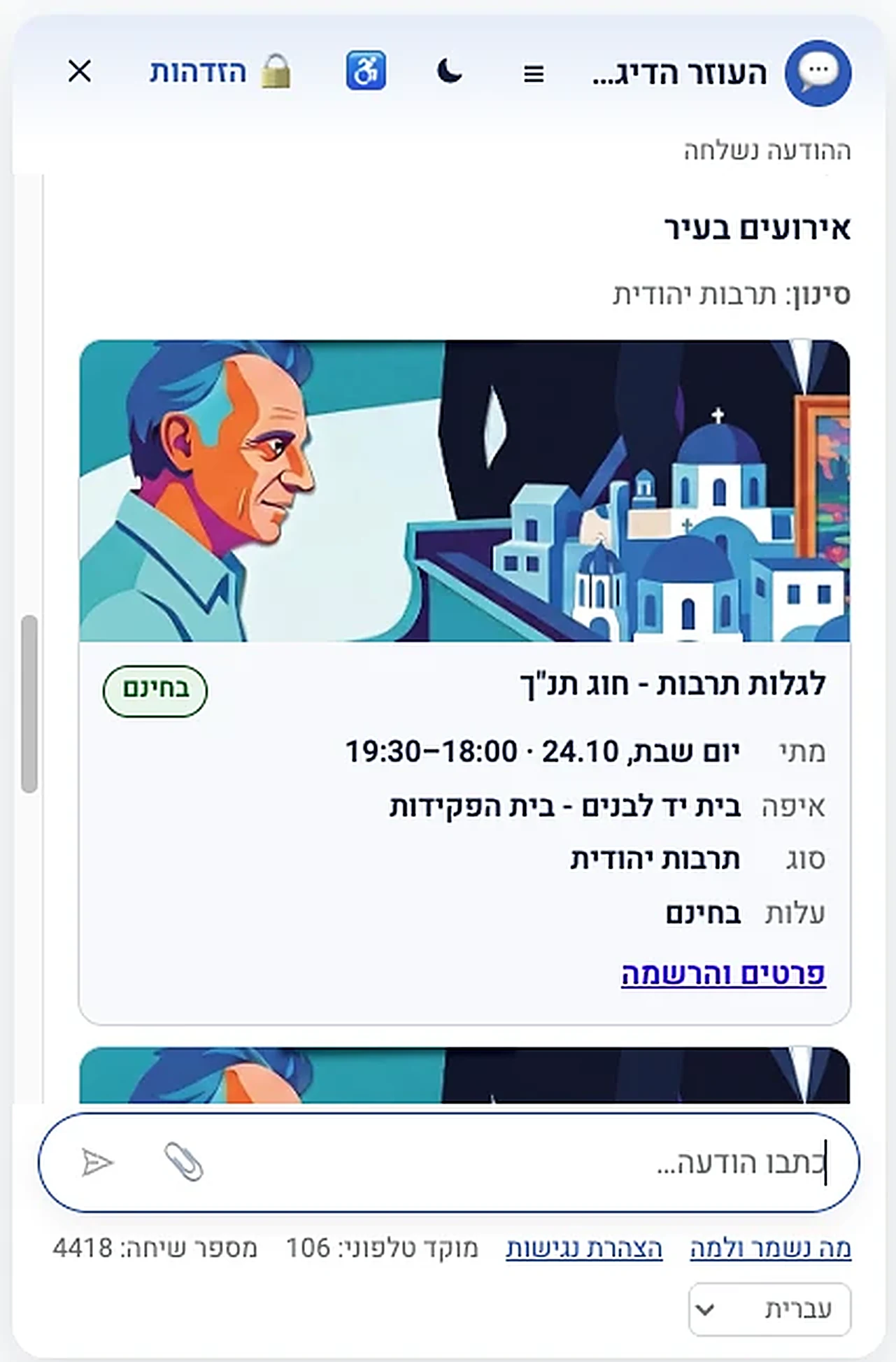
Talk to the website
Natural conversation in Hebrew, with results and actions appearing on screen as you talk.
Inbound and outbound phone bot
Contact center answering, reminders, case closure updates, callbacks and surveys.
Forms you fill in by voice
The bot collects one field at a time, validates each entry and submits a complete request for approval.
Any language, translated for live agents
Automatic language detection and real-time translation when a live agent joins the conversation.
Voice messages on WhatsApp
The recording is transcribed and the conversation continues as part of the same process.
From your existing website, fast
Our engine indexes an existing website and documents and turns them into a branded voice bot, secure from day one.
Ready-made platforms, tailored to your organization
Groupy
Teams of AI agents with a manager that decides who acts and when. A HelpDesk that resolves issues on the employee's computer, website testing teams and scheduled automations.
Explore Groupy →KESHER
A resident and customer service platform: the same AI brain on the website, on WhatsApp, by voice and over the phone, plus a contact center console for agents.
Explore KESHER →Copilot Studio or Azure AI Foundry?
Our default: Copilot Studio for internal processes that live in Microsoft 365, and Azure AI Foundry for bots that serve customers and residents. This is an architectural preference, not a limitation: both platforms work for employees and for customers, and we reassess on every project. Either way, we index the knowledge sources into Azure AI Search rather than relying on the built-in indexing.
Read the full comparison guide: licensing, security, costs and limitations →| Microsoft Copilot Studio | Azure AI Foundry | |
|---|---|---|
| How we typically use it | Employees inside the organization | Customers, residents and external users |
| Authentication | Your organization's Entra ID | Custom authentication, for example OTP against the CRM |
| Interface | Teams and Microsoft 365 | An interface in your own design, Generative UI and voice |
| System connections | Power Automate and MCP | API, MCP and custom code |
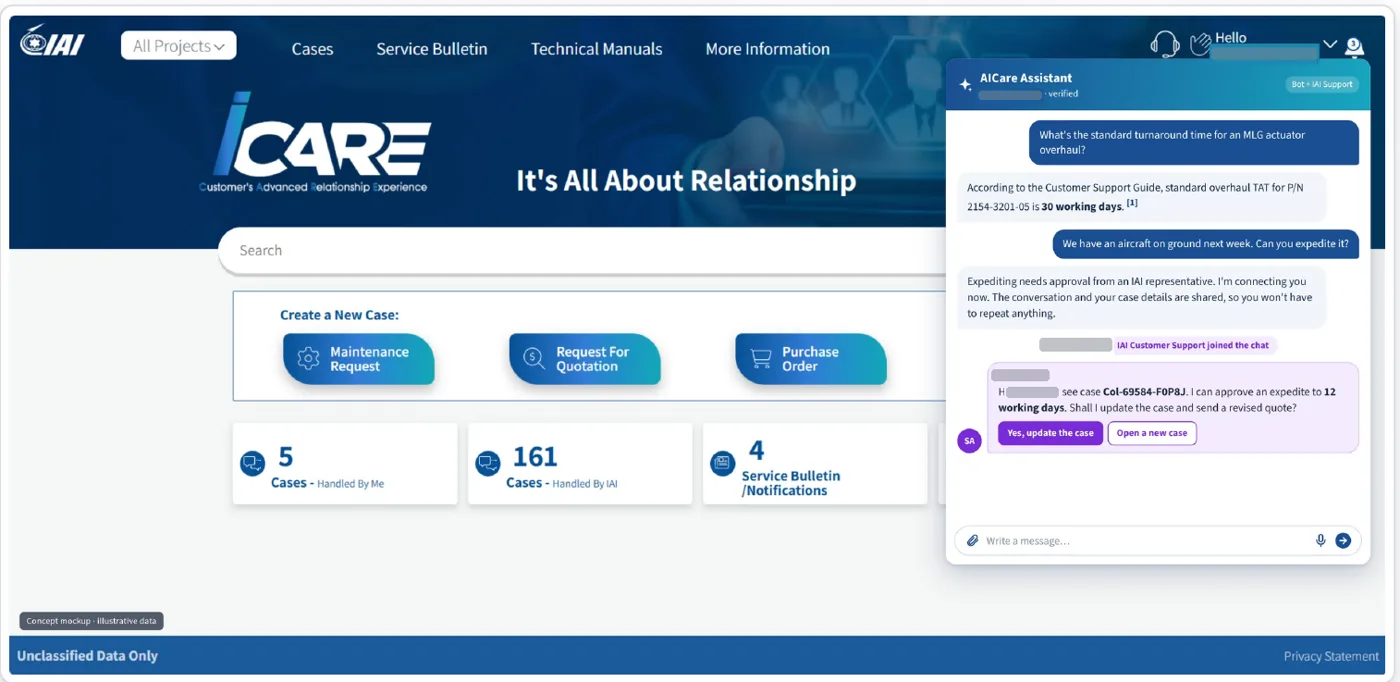
| Our examples | Invoices against SAP (Gil Car), exports in F&O (Moroccanoil) | KESHER (Rishon LeZion), WhatsApp agent (Ashtrom), AICare (Israel Aerospace Industries) |
How do you choose an enterprise AI agent development company?
An enterprise AI agent development company has to deliver more than a chat interface. It needs to understand the business process, design secure access to data, connect the agent to the systems already running in your organization, and put controls on every action the agent takes. Here are the four things worth checking, and how we address them.
Experience with enterprise systems
A good agent relies on real integrations. We have been building systems on Dynamics 365, Power Platform, SAP and Priority since 2022, so the agent arrives connected to the process, not as a demo.
Secure access to data
The agent sees only what the user is authorized to see: authentication through Entra ID, permission-based filtering on sources such as SharePoint, and data that stays in your organization's Azure.
Human in the loop (HITL)
Write actions in core systems go through validation and user approval before they run, and you can set an approval gate for any sensitive action.
Monitoring, logging and maintenance
Every run is logged: what the agent received, which tools it called and what it decided. After go-live, we track answer quality and model costs, and keep improving.
Frequently asked questions
What is the difference between a chatbot and an AI agent?
A chatbot answers. An agent understands the request, accesses data in your systems, uses tools, makes an operational decision and moves the process forward, bringing in a person when needed.
Can the agent write to SAP or Priority?
Yes, through an MCP layer that exposes only defined entities and actions. Every write action goes through validation and user approval, with a full log.
Where is the data stored?
In your organization's Azure. Static data can reside in Israel Central, and AI processing runs in the Azure region where the required models are available.
Can an AI agent connect to Dynamics 365?
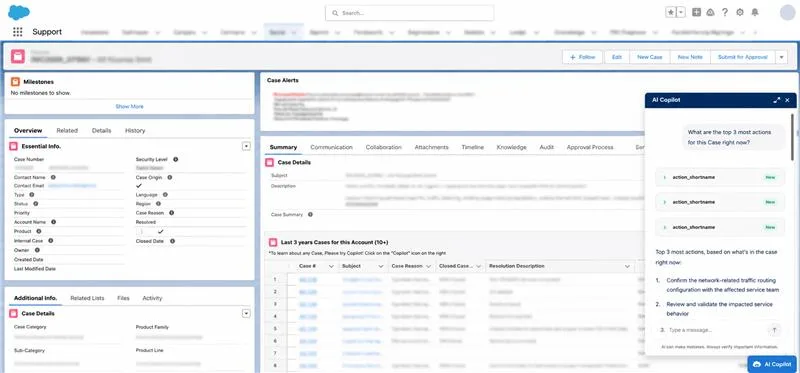
Yes. The agent reads data and performs actions in Dynamics 365 and Dataverse through an API or an MCP layer, within the user's permissions. This is how KESHER works at Rishon LeZion Municipality: every conversation is logged in the CRM, and cases are opened in it directly.
Can you connect an AI agent to SharePoint?
Yes. We index SharePoint libraries into Azure AI Search with permission-based filtering, so each user gets answers only from documents they are allowed to see, with the source cited.
Do the agents work in Hebrew?
Yes. Our agents respond in Hebrew in text and by voice, including speech recognition, and also in English and other languages as needed.
How much does it cost to develop an AI agent for an organization?
The cost depends on the complexity of the process, the number of systems to connect, the volume of data and the security requirements, as well as the ongoing cost of model usage. Usually we start with a focused specification or a POC on one process, and from there estimate development and operating costs before scaling up.
Further reading: How to connect an AI agent to Dynamics 365 · RAG vs. fine-tuning