
The documents nobody wants to receive. We read them.
Zooz-tech built a Document AI system for Tadiran that understands documents the way a person does: handwriting next to printed text, receipts photographed on a phone at an angle and in poor lighting, tables, amounts and dates, in Hebrew and English. The output is structured data that goes straight into the business process.
What this invoice is hiding
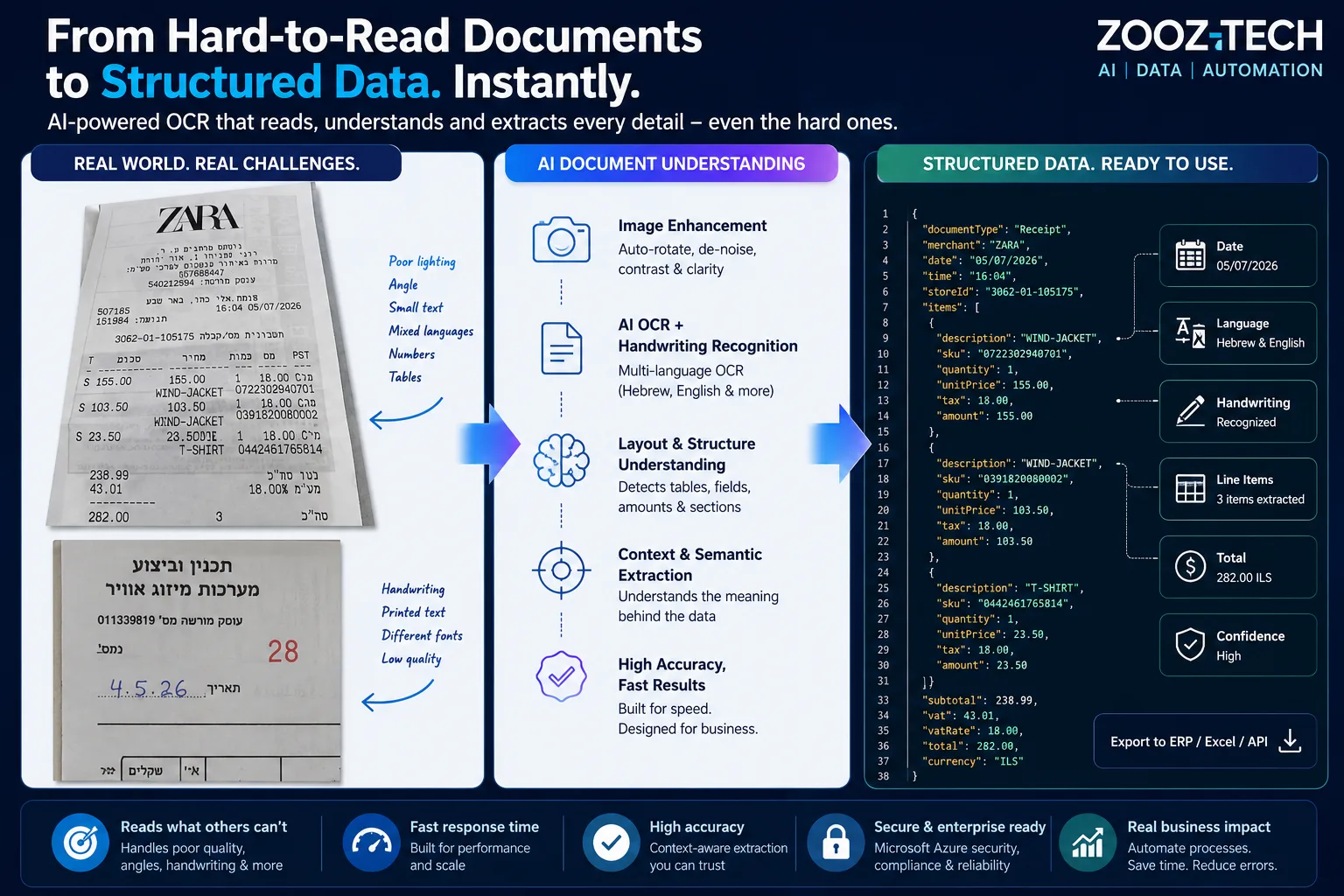
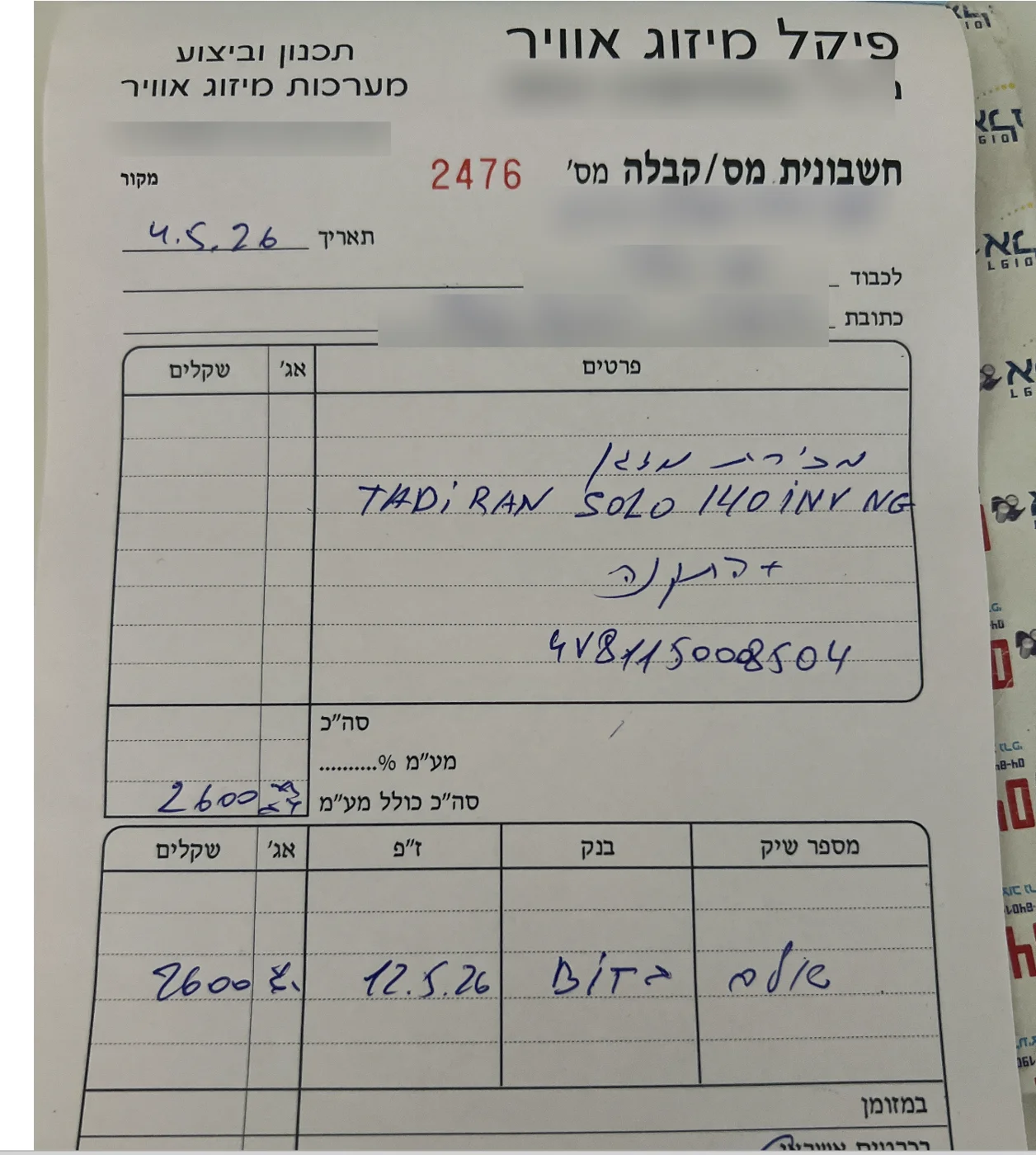
Every field is handwritten, some in Hebrew and some in English, and some inside a printed table. The system identifies each field, understands what it is and returns it as structured data that can go into the ERP.
An illustration of the output, based on the fields visible in the invoice.
- Document number
- 2476
- Date
- 04.05.2026
- Item
- TADIRAN SOLO 140 INV NG
- Serial number
- 4V8115008504
- Total incl. VAT
- 2,600.00 ₪
- Payment
- Bit · 12.05.2026
These are the documents that come in from the field
An invoice handwritten in a receipt book, with a model number, a serial number and an amount. A receipt photographed in a hurry, skewed, with tiny text and mixed languages. Standard OCR breaks exactly here. Our system starts here.
Five steps, from image to business process
- 1
The document comes in
A phone photo, a scan, a PDF or an email.
- 2
Enhancement and decoding
Straightening, contrast, and recognition of printed text and handwriting.
- 3
Understanding structure and context
Tables, fields and what each value means.
- 4
Extraction and validation
Amounts, dates, identifiers and items, with a confidence level for each field.
- 5
Into the process
Structured JSON for the ERP, for Excel or through an API.
Eight things that break standard OCR
Handwriting
Even next to printed text, in the same document.
Hebrew, English and more
Mixed languages and writing directions on a single line.
Photos at an angle
A document photographed by hand, not scanned.
Poor lighting and shadows
The technician's phone, not an office scanner.
Low-quality scans
Faded paper, faxes and copies of copies.
Tables and fields
Line items, columns and totals.
Numbers and identifiers
Amounts, dates, serial numbers and model numbers.
Small text
Till receipts and tiny print.
What it delivers in the field
Very fast response time
Even on complex, multi-page documents.
Results on the hardest documents
Skewed photos, faded documents, handwriting and small text.
Ready-to-use output
Structured data for the ERP, for Excel or through an API.
Document AI in other projects
Send us your hardest document
We will send it back to you as structured data.