
From idea to system, on Power Platform
Zooz-tech develops business apps, portals and automations on Microsoft Power Platform: Power Apps, Power Automate, Power Pages, Power BI and Copilot Studio. Each system is built around your process, connects to SAP, Priority ERP and Dynamics, and looks like a product, not a form.
Business apps for mobile and desktop
Workflows, approvals and RPA
Portals for customers and residents
Dashboards and management visibility
Agents for employees and a single secure data layer
Fewer spreadsheets, one clear process
Operational efficiency
Automation of manual work, less duplicate effort and less reliance on spreadsheets and improvised workarounds.
Short time to value
A fast go-live, using the Microsoft infrastructure and licenses your organization already has.
Visibility and control
Real-time information, live dashboards and decision-support tools for management.
Tailored, not off the shelf
A system built around your processes and constraints, that grows with your organization.
Low-code built to product standards
Business first
We start from the business process and the value required, and only then choose components.
UI/UX as part of the solution
User experience is part of the design from day one. It is what determines whether the system is actually adopted.
Cross-organizational processes
We connect departments, data and permissions, instead of building a point solution for every need.
Integration and connectors
Dynamics 365, Dataverse, SharePoint, SQL, SAP, Priority, Salesforce and Oracle, plus custom connectors when no ready-made connector exists.
From requirements to a working system, in six stages
Our Power Platform development projects start from the business process, not the tool. Each stage is signed off with the users, so the system that goes live is the one they actually need.
Requirements and design
We map the process as it works today, the users, the data and the integration points with other systems.
UX/UI
We design screens for the people who actually use them: in the office, on the phone or in the field.
Development
Power Apps, Power Automate and Power Pages on Dataverse, with permissions and connections to core systems.
Testing
Process, permission and load testing with the users themselves, before go-live.
Rollout and training
A phased rollout, training for users and managers, and documentation that lets your organization carry on.
Maintenance and improvement
We stay on after go-live: support, improvements and new development as needed.
Power Platform systems running today
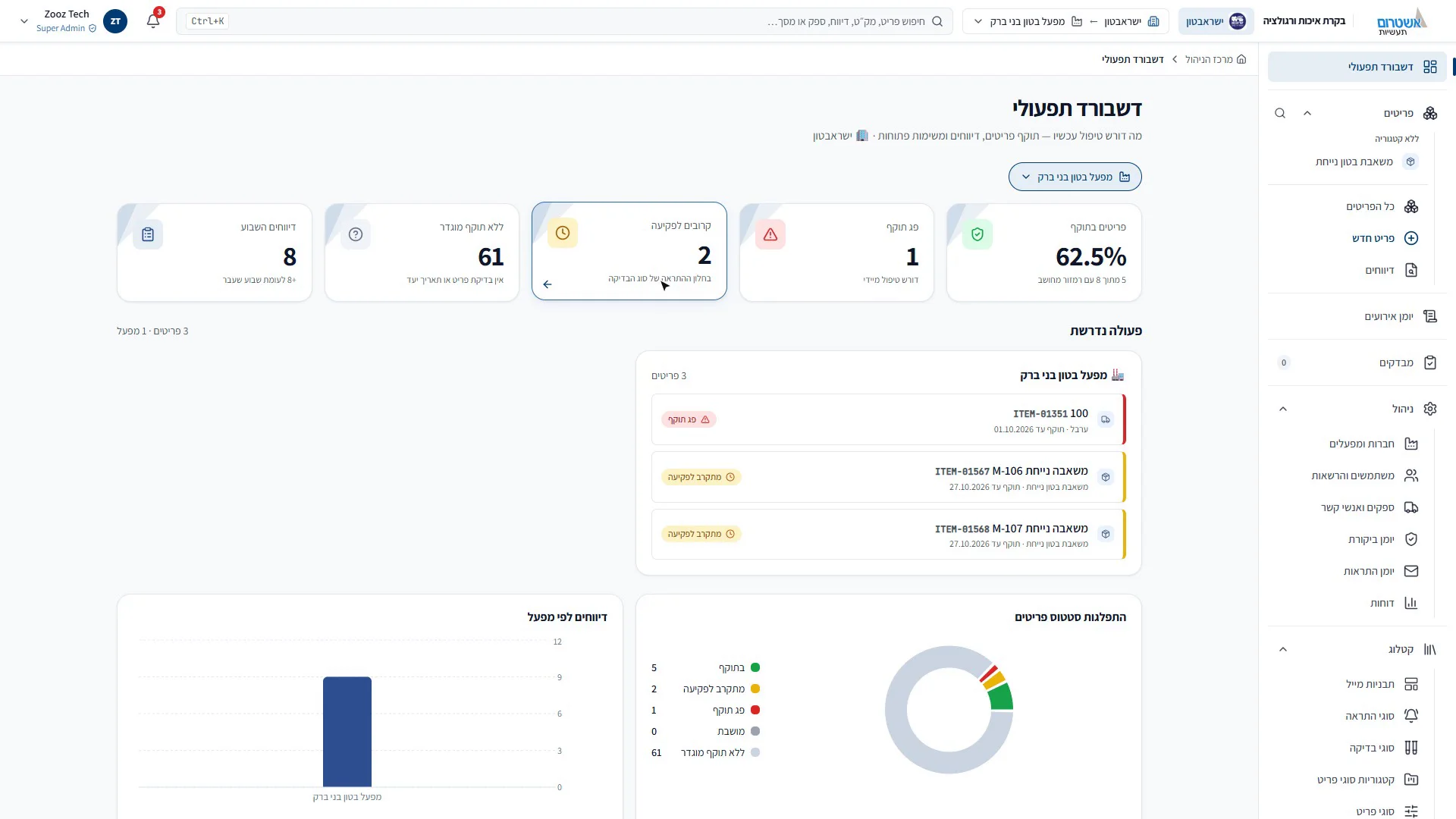
Quality control: from the field to Priority
Items with expiry traffic lights, mobile reporting, checklists with signatures, alerts and a live connection to Priority.
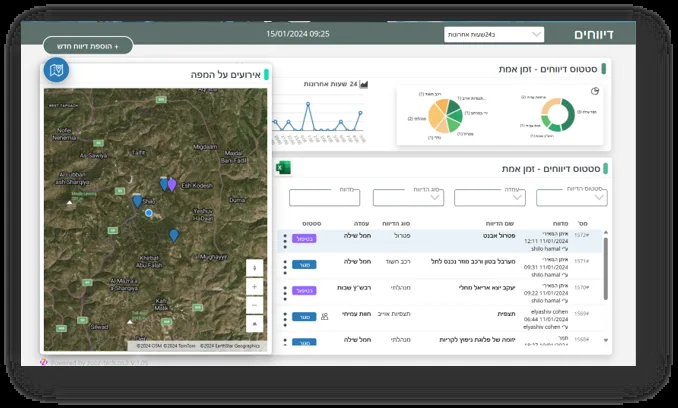
Managing emergency operations centers and standby response teams
Built fast, in wartime: automatic tasks, standby team scheduling, a live situation map and AI for incident analysis.
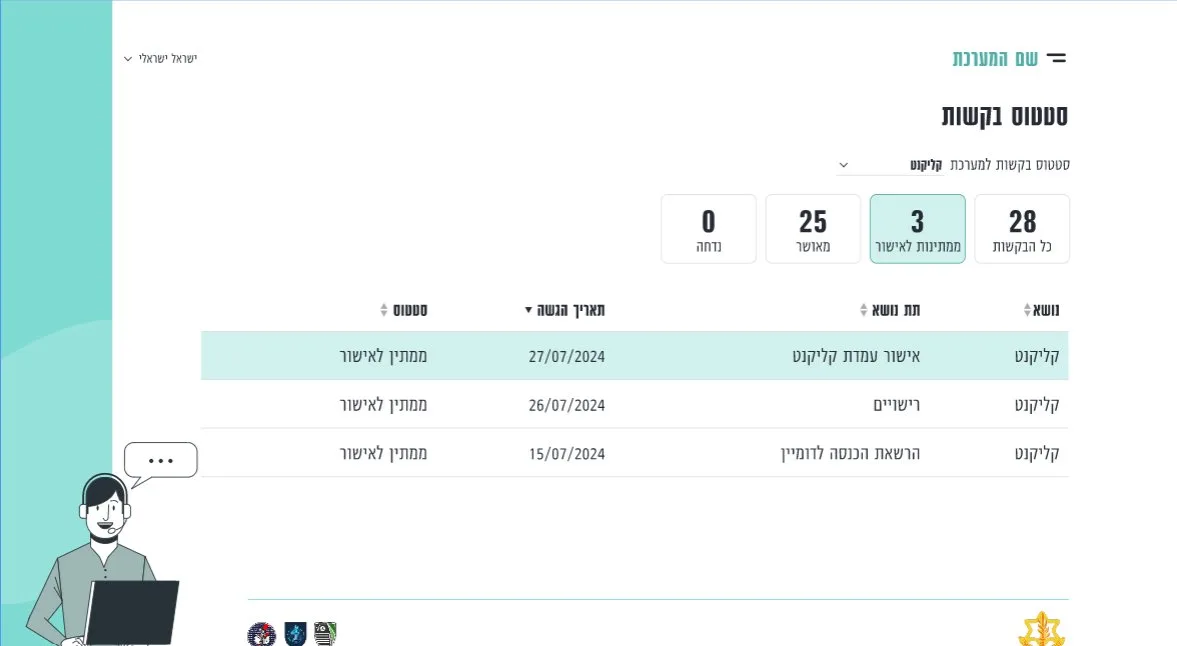
Submitting and managing requests across the organization
Dynamic forms, approval workflows, automatic permission provisioning and an Active Directory connection.
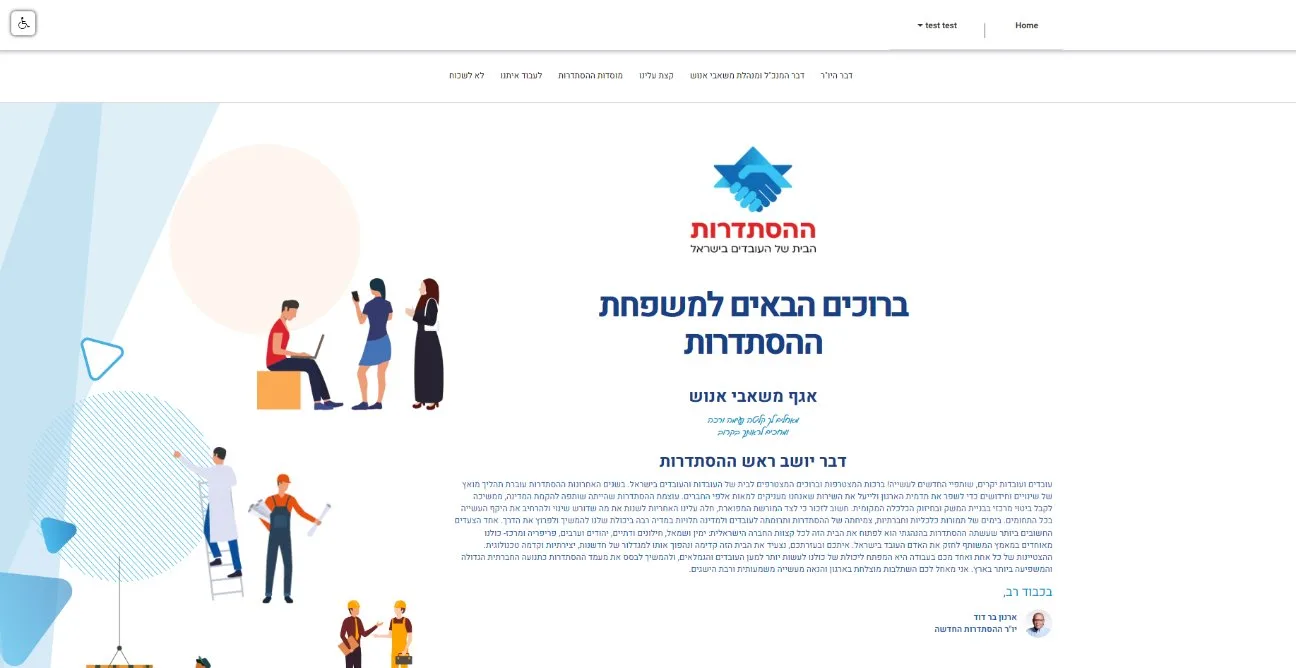
A portal for new employees
An external portal with Azure B2C sign-in: pre-arrival information, documents to sign and a personal area.
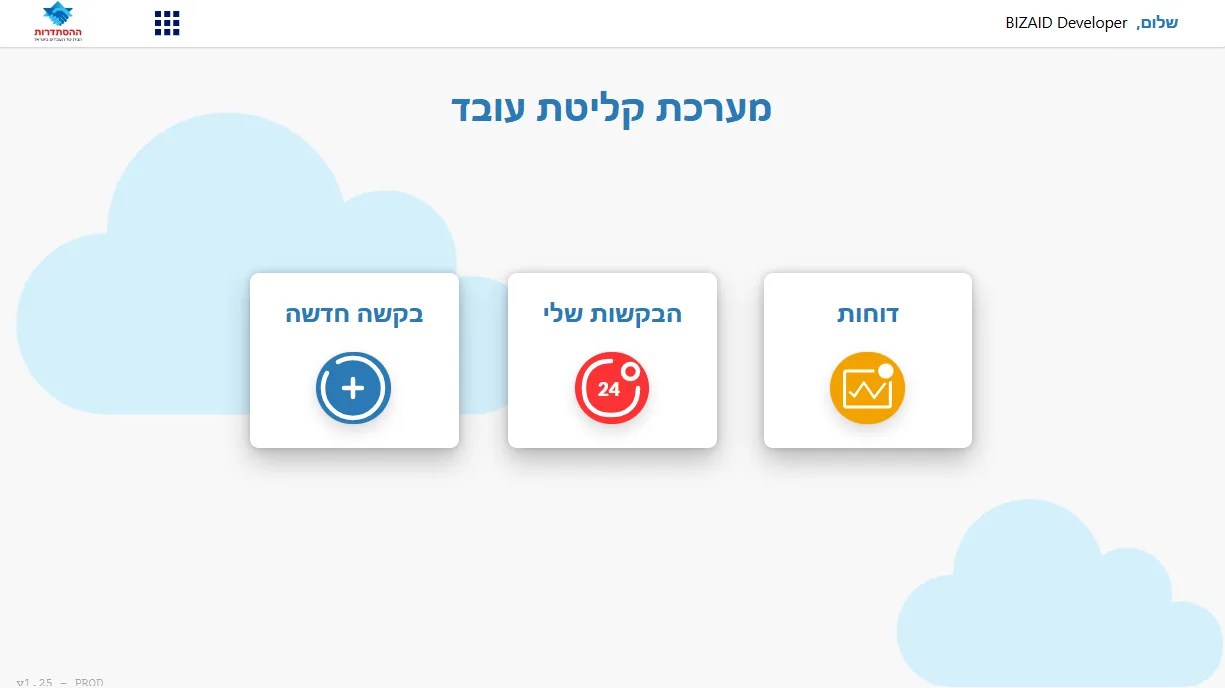
Employee onboarding
Automatic tasks for each department, status tracking, escalations and an ERP connection.
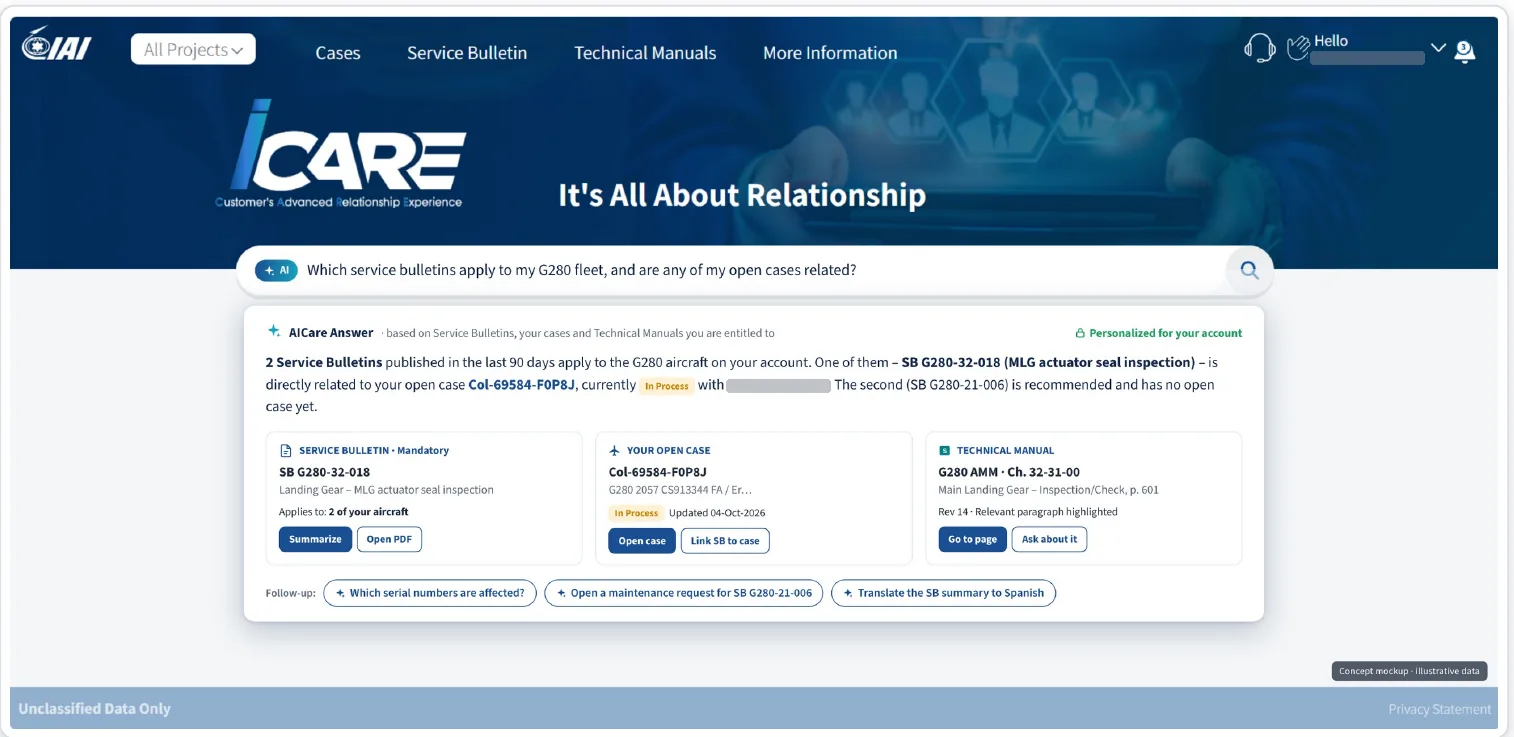
The iCare customer portal
A Power Pages portal on Dynamics 365 that we built and maintain: service requests, shipments and technical documentation.
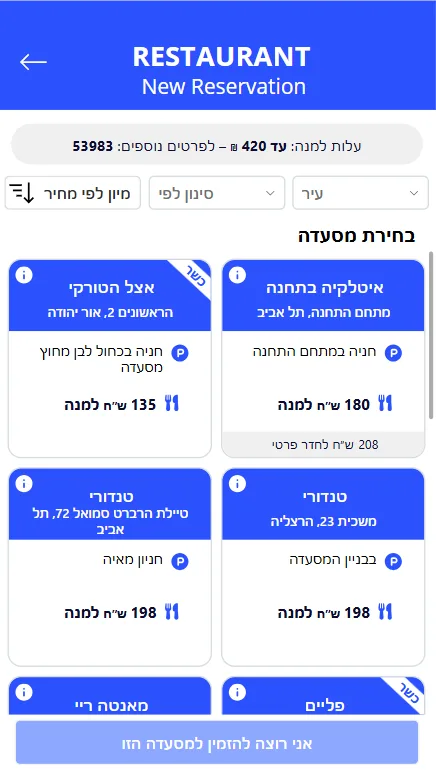
Hotel and restaurant hospitality system
An app for booking and managing hospitality, on mobile and desktop.
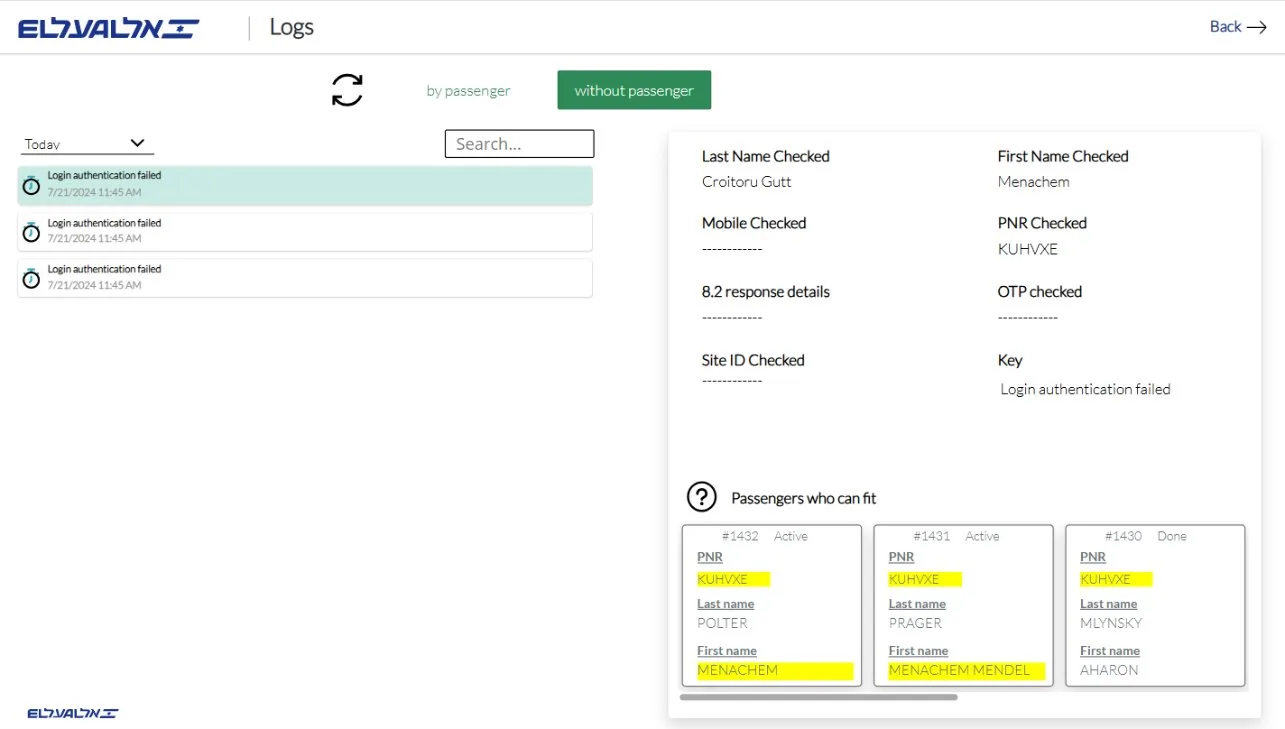
Compensation management and tracking
Smart selection of the right compensation for each customer, with alerts and real-time status.
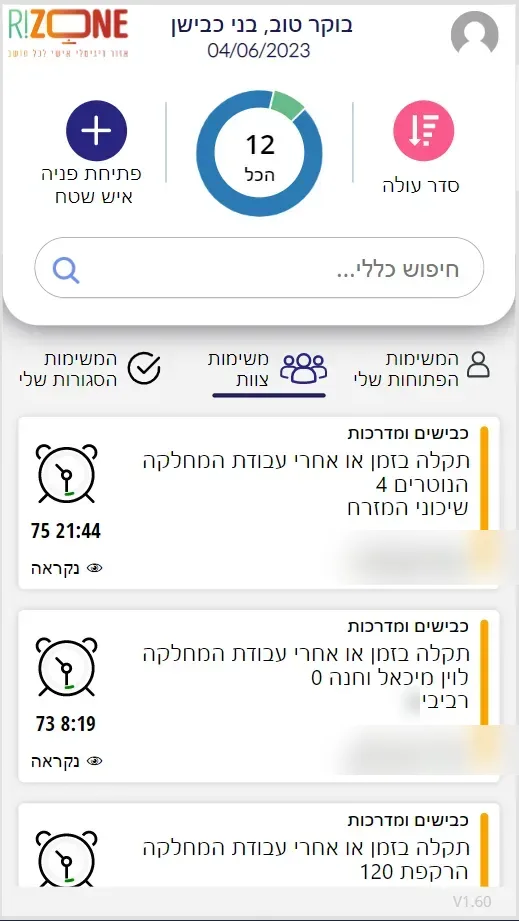
Field staff app
Voice reports converted to text, AI-suggested solutions and a Waze route, connected to the CRM.
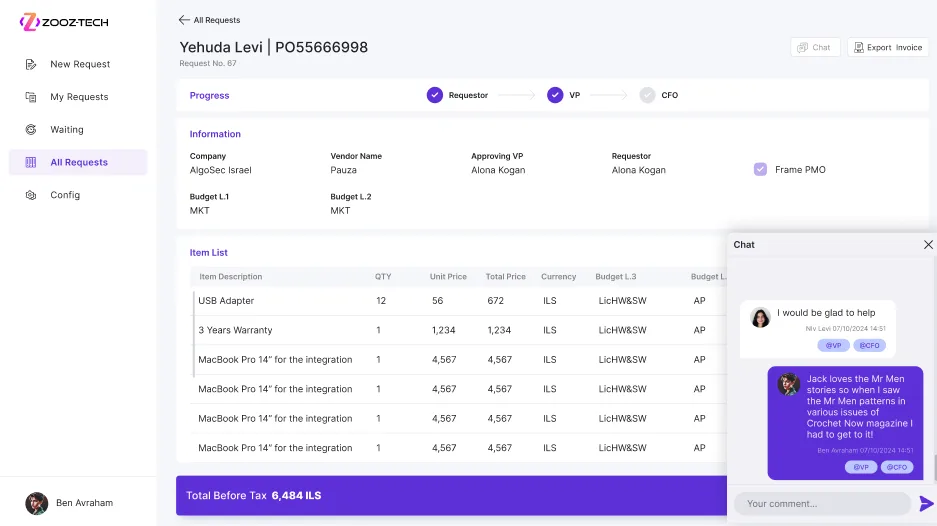
Invoice approvals in Priority
A dynamic approval workflow with actions taken directly in Priority.
Frequently asked questions
When is Power Platform the right fit, and when is full custom development?
Power Platform is the right fit when your organization already works in the Microsoft ecosystem and needs a business system fast, with built-in permissions and security. When a complex public-facing interface or unusually high loads are required, we combine it with full custom development on Azure.
Can it connect to SAP or Priority?
Yes. We work with existing connectors and build custom connectors when needed, including for on-premises systems.
What about AI?
Copilot Studio adds agents to internal processes, while AI Builder and Azure AI add document reading, classification and prediction inside the app.
Further reading: A secure customer portal in Power Pages